
Atlassian Solution
Finance ERP Jira (Finance Operations on Atlassian Jira)
A finance ERP Jira solution standardizes finance operations that typically live in email, spreadsheets, and disconnected approvals.
This implementation uses Atlassian Jira to manage finance workflows (requests, expense submission, approvals, procurement handoffs, vendor onboarding, invoice processing, close activities), and Confluence to maintain policies, SOPs, and audit-ready documentation—creating a single system of record for finance work execution.
This solution typically combines:
Jira (or Jira Work Management) for finance workflows, CAPEX/OPEX, approvals, checklists, and visibility
Confluence for finance policies, procedures, templates, and controlled documentation
Optional: Jira Service Management (JSM) for a finance service portal (request catalog, forms, routing, SLAs where useful)
Optional: eazyBI for finance dashboards, cycle-time analytics, and leadership reporting
Optional: integrations to core ERP/accounting systems for data handoffs (e.g., vendor master, PO status, invoice IDs)
Read articles about Finance ERP Jira (Finance Operations on Atlassian Jira)
Why This Matters: Challenges We Solve
Finance teams need fast turnaround, strong controls, and clean audit trails—often across multiple departments and geographies. Without structured workflows, approvals and close activities become slow, manual, and risky.
Approvals live in email and are hard to audit
Policy exceptions, spend approvals, and sign-offs are scattered, making accountability and audit readiness difficult.
Procurement and finance handoffs are inconsistent
Requests arrive incomplete, ownership is unclear, and cycle time increases across procure-to-pay steps.
Vendor onboarding creates bottlenecks
Missing documentation and unclear validation steps slow vendor setup and delay purchasing and payments.
Invoice and expense processes lack transparency
Stakeholders can’t easily see where an item is stuck, who owns it, or when it will complete.
Month-end close relies on spreadsheets and tribal knowledge
Close activities aren’t managed as a repeatable workflow, increasing risk of missed steps and late reporting.
Reporting is manual and fragmented
Leadership views depend on exporting data instead of using consistent operational dashboards.
Core Features of the Finance ERP Jira Solution
1) Finance ERP Jira Workflow Foundation (Requests, Cases, Approvals)
A scalable finance ERP Jira setup starts with a clear finance service and workflow model:
Finance request/case types aligned to services (procurement support, vendor onboarding, AP/AR support, expenses, close tasks)
Standard fields (cost center, spend category, vendor, due date, risk/controls, approver group)
Workflows that match real execution (intake → validation → approval → processing → completed)
Ownership model across finance roles (shared services, controllers, AP, procurement, regional finance)
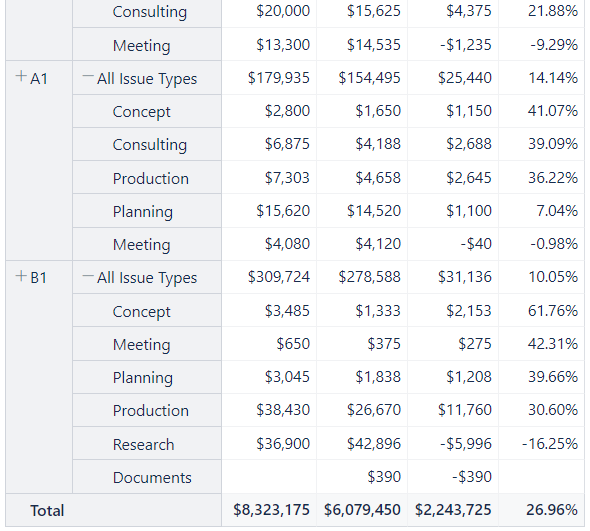
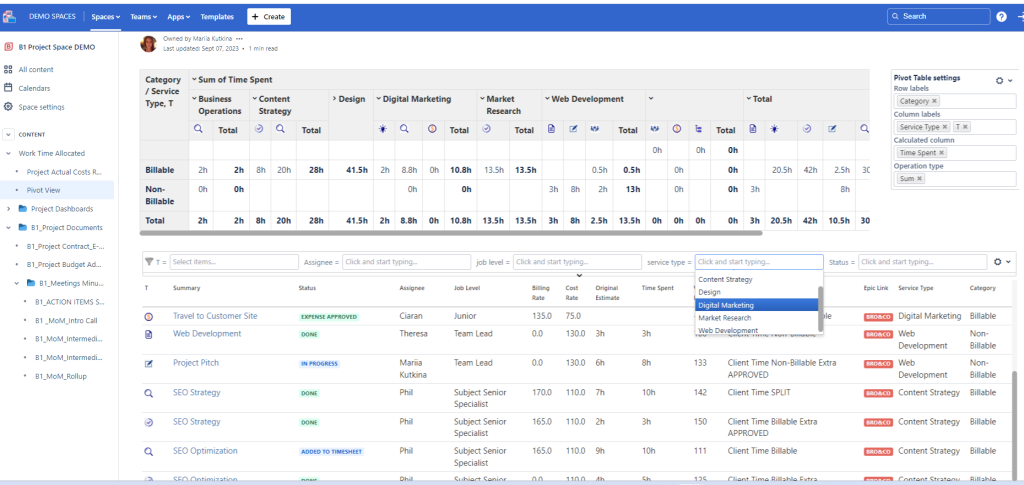
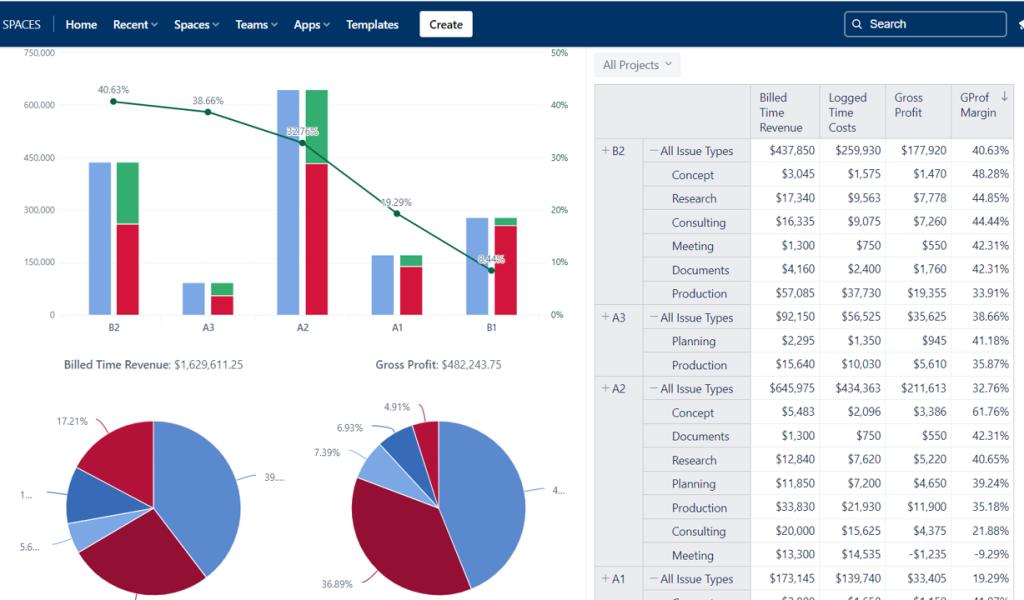
Financial report template with Jira and Custom Tables for Confluence
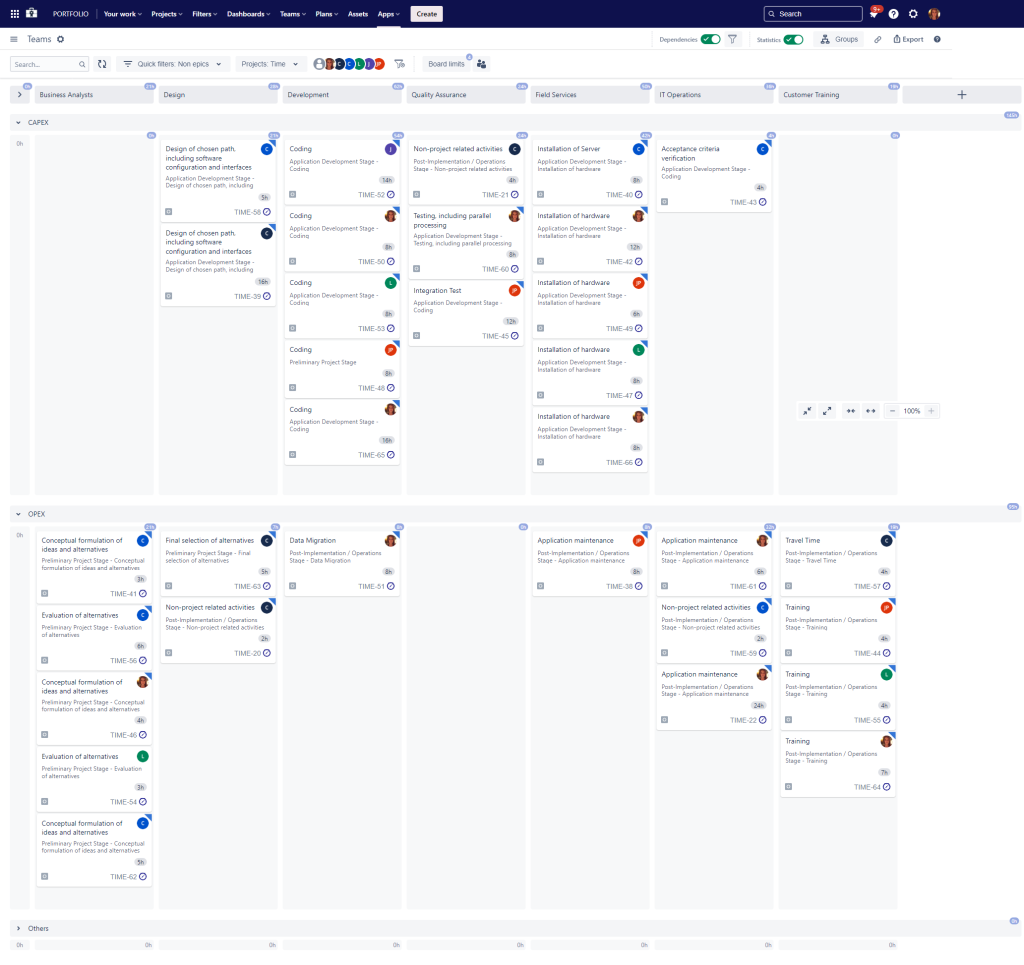
CAPEX / OPEXtime capitalization software development project
2) Procure-to-Pay and Purchasing Approvals (P2P)
Procurement-related work becomes predictable when it is structured and traceable:
Purchase request intake with required data and attachments
Multi-step approvals by threshold, category, or cost center
Handoffs between requester, procurement, and finance with clear status rules
Exception handling for urgent or compliance-driven requests
Optional: a finance portal in JSM can provide a guided catalog experience for business users while keeping finance execution controlled behind the scenes.
3) Invoice, Expense, and Finance Service Requests
Finance service delivery improves when work is visible and measurable:
Invoice exception handling workflows (missing PO, mismatched data, approvals needed)
Expense approval workflows with consistent evidence requirements
Finance help requests routed to the right team with standardized categories
Automated reminders for aging items and waiting states
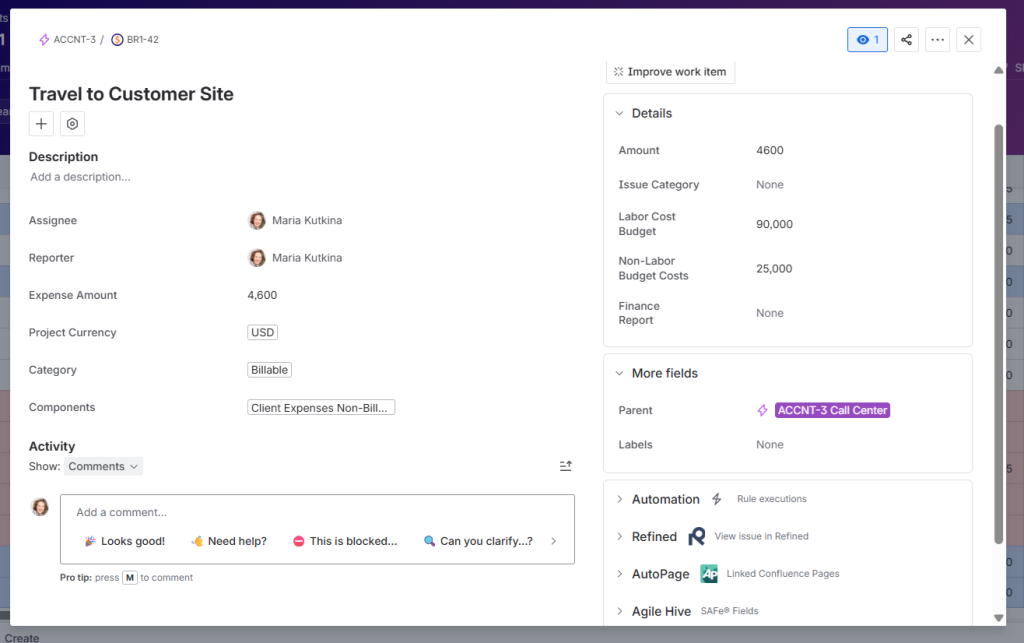
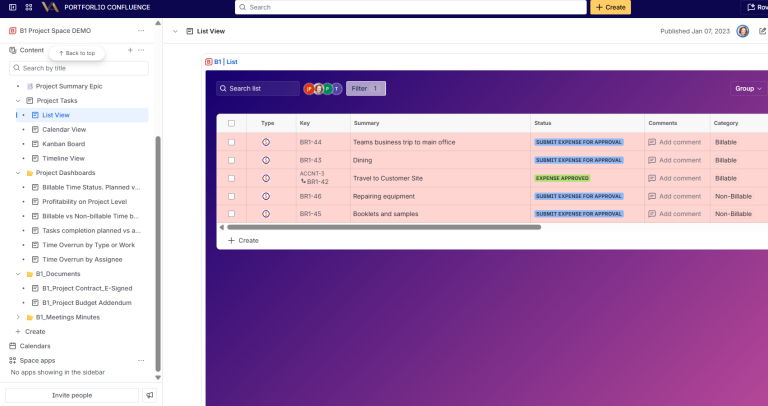
Jira work item for expense submission
4) Vendor Onboarding and Master Data Requests
Vendor setup is often a high-friction process. A standardized flow typically includes:
Vendor onboarding request form with mandatory documentation
Validation steps (tax details, banking, compliance checks)
Approval gates where required (risk, legal, procurement, finance)
A clear definition of “ready for ERP entry” vs “pending information”
5) Month-End Close, Reporting, and Control Checklists
Close becomes repeatable when it’s treated as workflow execution rather than a spreadsheet:
Close checklist structure by entity/region and reporting calendar
Ownership per step (tasks assigned to teams and individuals)
Dependencies and milestones for coordinated completion
Evidence capture (sign-off notes, attachments, links to Confluence procedures)
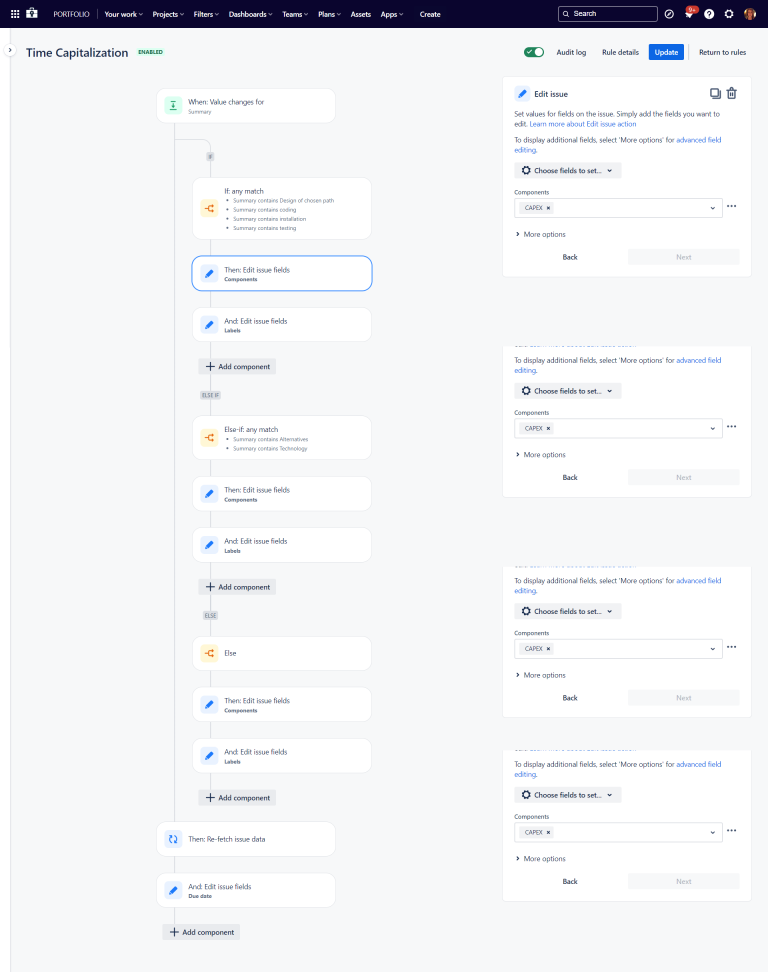
CAPEX OPEX Developer Time Allocation Automation Rule Jira
6) CAPEX/OPEX Developer Time Allocation (Jira Automation)
Automate CAPEX/OPEX tagging for developer work using Jira Automation—apply the right cost category, cost center, and allocation fields based on issue type, component, epic, or status changes. This reduces manual classification and produces reporting-ready data (optionally extended with eazyBI).
7) Confluence for Finance Documentation and Audit Readiness
Vendor setup is often a high-friction process. A standardized flow typically includes:
Vendor onboarding request form with mandatory documentation
Validation steps (tax details, banking, compliance checks)
Approval gates where required (risk, legal, procurement, finance)
A clear definition of “ready for ERP entry” vs “pending information”
How It Works: Solution Architecture
Atlassian Platform Foundation
Jira (finance workflows) + Confluence (finance documentation) + optional JSM (finance portal) + optional eazyBI (analytics).
Connected Finance Journey
Business request → validation and approvals → processing workflow → closure with evidence → documentation updates in Confluence → reporting and continuous improvement.
Integration-Friendly Design
Where a core ERP system remains the accounting source of truth, Jira manages execution, approvals, and traceability, with integrations enabling clean handoffs and status synchronization.
Templates Included into Finance ERP Jira Solution
Vacation Balance Tracking
Template Vacation Balance Tracking Template Track vacation balances, approvals, and...
Read MoreTimesheet Template with Atlassian Jira
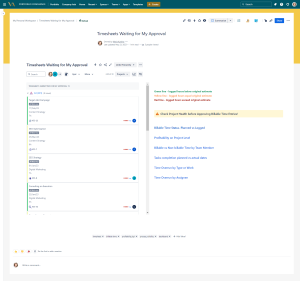
Track work hours, approvals, and project time allocation with the...
Read MoreResource and Capacity Management Template
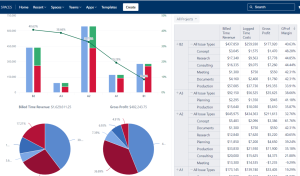
Template Resource and Capacity Management Template Plan, forecast, and track...
Read MoreExpenses Submission and Approval Process Template
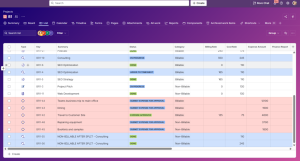
Template Expenses Submission and Approval Process Streamline expense management with...
Read MoreAgile Accounting and Dev Time Capitalization Template
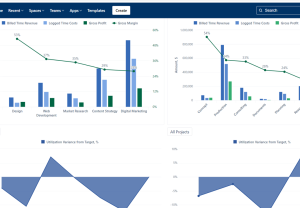
Template Agile Accounting and Dev Time Capitalization Template Track development...
Read MoreObjective and Key Results (OKR) Template
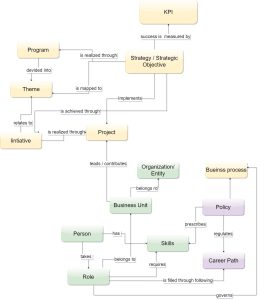
Template Objectives and Key Results (OKR) Set ambitious goals, align...
Read MorePortfolio Performance Report Template
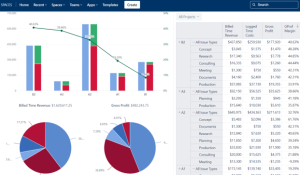
Template Portfolio Performance Report Template for Atlassian Track portfolio health,...
Read MoreDemand Management Template
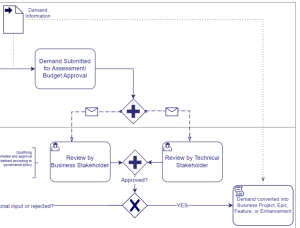
Template Demand Management Template Capture, evaluate, prioritize, and approve business...
Read MoreSales and Marketing Report Template for Atlassian Jira and Confluence
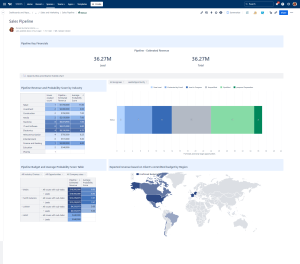
Track campaigns, leads, opportunities, and performance with the Sales and...
Read MoreJira Project Status Report Template
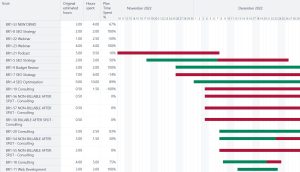
Create automated, real-time project status reports with the Jira and...
Read MoreFinancial Report Template
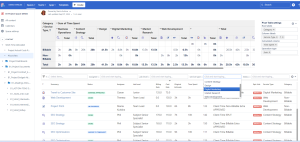
Monitor cost, margins, utilization, and profitability with Financial Report Template...
Read MoreHuman Capital Report Template with Jira and EazyBI
Track skills, performance, utilization, learning, and workforce health with the...
Read MoreConsulting Services Related to Finance ERP Jira Solution
FAQ about Finance ERP Jira Solution
A scalable approach uses threshold-based approval paths, required evidence only where it matters, and automated routing/reminders—so controls are consistent while cycle time stays predictable.
A common pattern standardizes the global service catalog and core workflow, then adds regional variants via conditional fields, localized validation steps, and region-specific approval groups.
Close reliability improves when every close activity is treated as a tracked workflow step with ownership, due dates, dependencies, and evidence links—reducing last-minute escalation and missed tasks.
Shared status definitions, clear “waiting on” states, and stakeholder-friendly views (boards, lists, calendars) reduce ambiguity and make handoffs measurable.
Audit readiness increases when evidence capture is built into the workflow (attachments, approvals, decision notes) and related procedures are maintained in Confluence with ownership and review cycles.
Jira typically complements—not replaces—the accounting system of record by managing finance execution, approvals, and traceability. Integrations can connect Jira workflows to ERP master data and transaction references when needed.